
Create a school presentation with AI
A science report, a history talk or a book presentation. Tell Rogue the topic and grade level, and it plans the story and creates finished slides for your class.
The deck Rogue made
Generated from the request below, with nothing edited by hand.
Questions about school presentations
How do I ask for slides at the right grade level?
Include the topic, grade level and your teacher's instructions in your request. For example, ask for six slides on the water cycle for eighth grade. Read through the explanations before you present.
Can I include the sources for my school report?
List the sources you used in your request and ask for a reference slide. The presentation doesn't replace your research. Review the explanations, names and numbers before sharing the slides with your class.
Can I use the slides for a classroom presentation?
Yes. Present in your browser or download a PDF or PowerPoint file. Each PowerPoint slide is an image, so you can't type changes into it. Ask for text edits in the chat, then download again before class.
Can I edit the slides?
Yes, by asking in the chat: change a slide, add one, remove one or redo the whole deck. Each slide is a designed image with the text inside it, so text changes happen through Rogue, not by typing on the slide.
Can I download it as PowerPoint or PDF?
Yes, both. In PowerPoint each slide is an image, which keeps the design exactly as you saw it; to change a line of text, ask in the chat and download again.
Other kinds of presentations
See all Thesis defense presentationAims, method, results and conclusion.See the deck
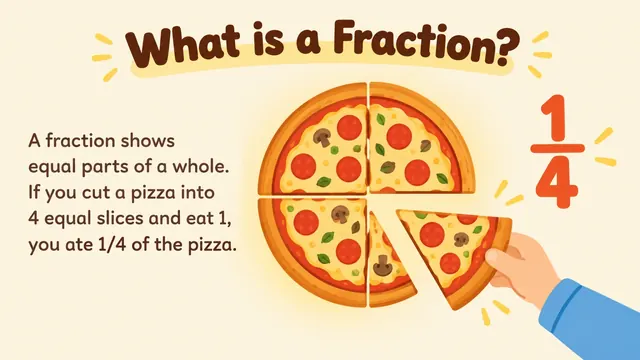 Lesson slides for teachersExplanations, examples and practice.See the deck
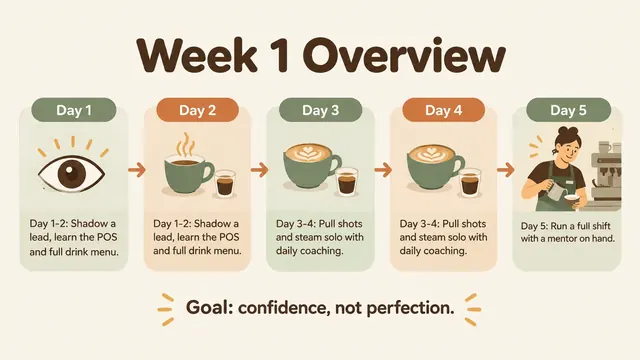 Training presentationFirst-week basics and everyday procedures.See the deck
 AI pitch deckProblem, solution, traction and the raise.See the deck
 AI business plan presentationOffer, customers, operations and projections.See the deck
 Sales proposal presentationScope, pricing, terms and next steps.See the deck